Features
Everything in the box.
Penna keeps its tools in one thin rail at the edge of the page, so most of the time you’ll forget it’s there. Here’s what’s tucked inside.
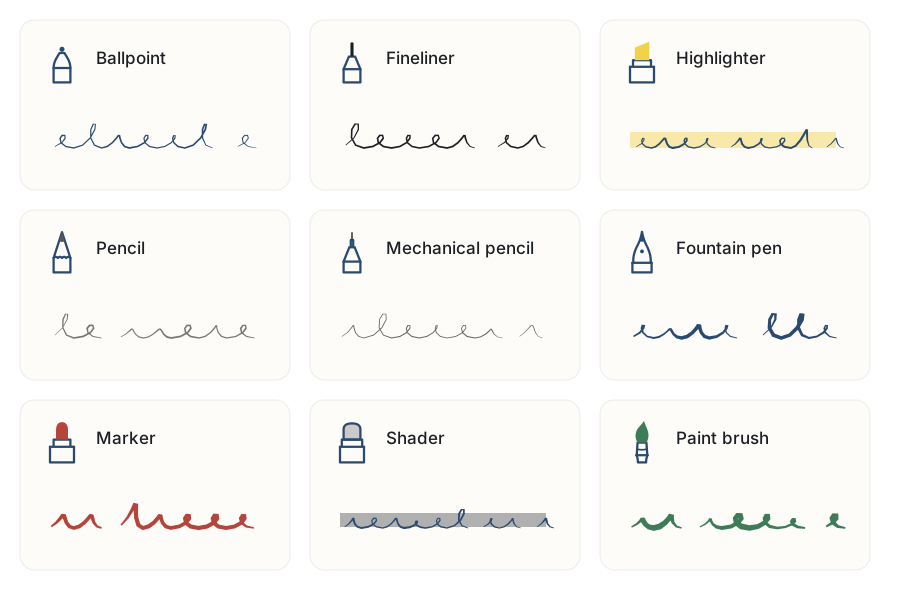
Nine pens, and an eraser with opinions
Ballpoint, fineliner, highlighter, pencil, mechanical pencil, fountain pen, marker, shader and paint brush, all with real pressure and tilt. Two live on the toolbar, each with its own color and size.
- The eraser rubs out exactly what it touches. Or whole strokes. Or everything inside a loop you draw.
- Draw a wobbly circle, hold still, and it becomes a tidy one. Boxes, lines, triangles, arrows, diamonds and even a lopsided star too.
- Lasso some ink to move it, recolor it, or cut, copy and paste it somewhere else.
- Layers, as many as you like, for the sketch under the sketch.
Type right on the page
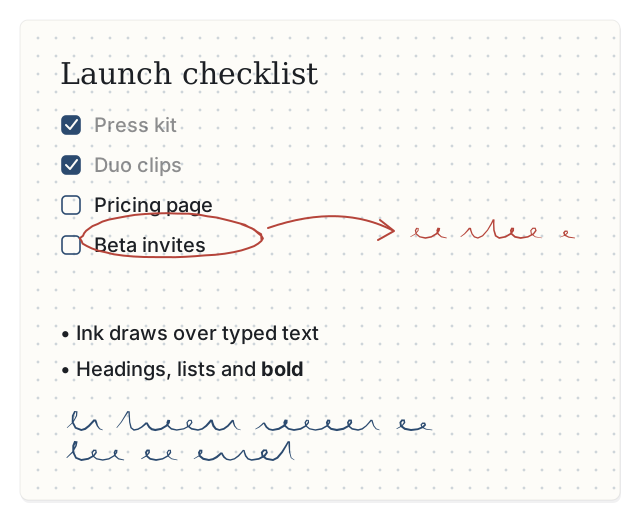
Pick the Text tool, tap, and type. Headings, lists and checkboxes come from plain Markdown, and you can tick a box with a tap. Ink sits on top of text, so circling your own typed words is very much allowed.
Markdown files, for when typing wins
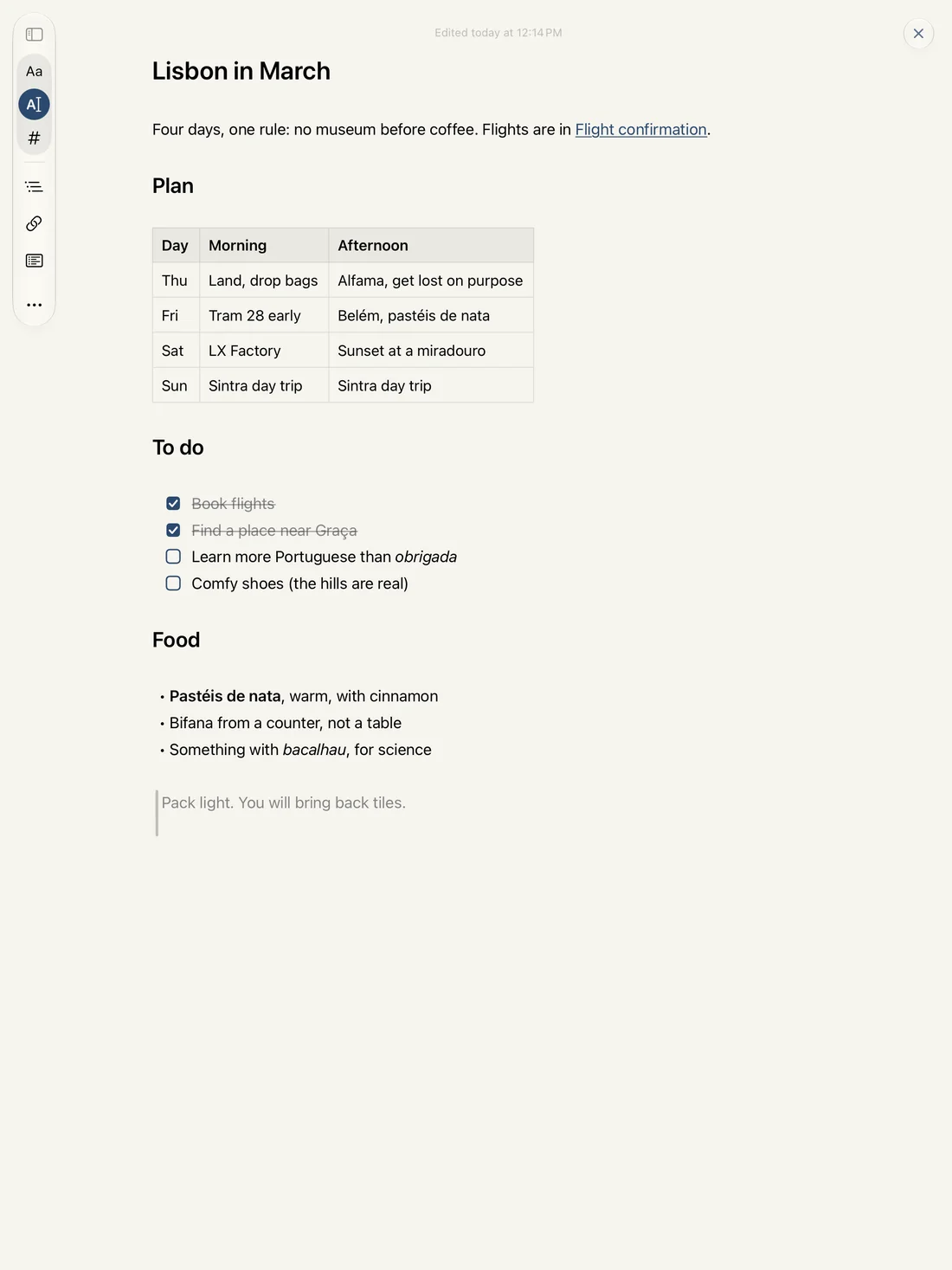
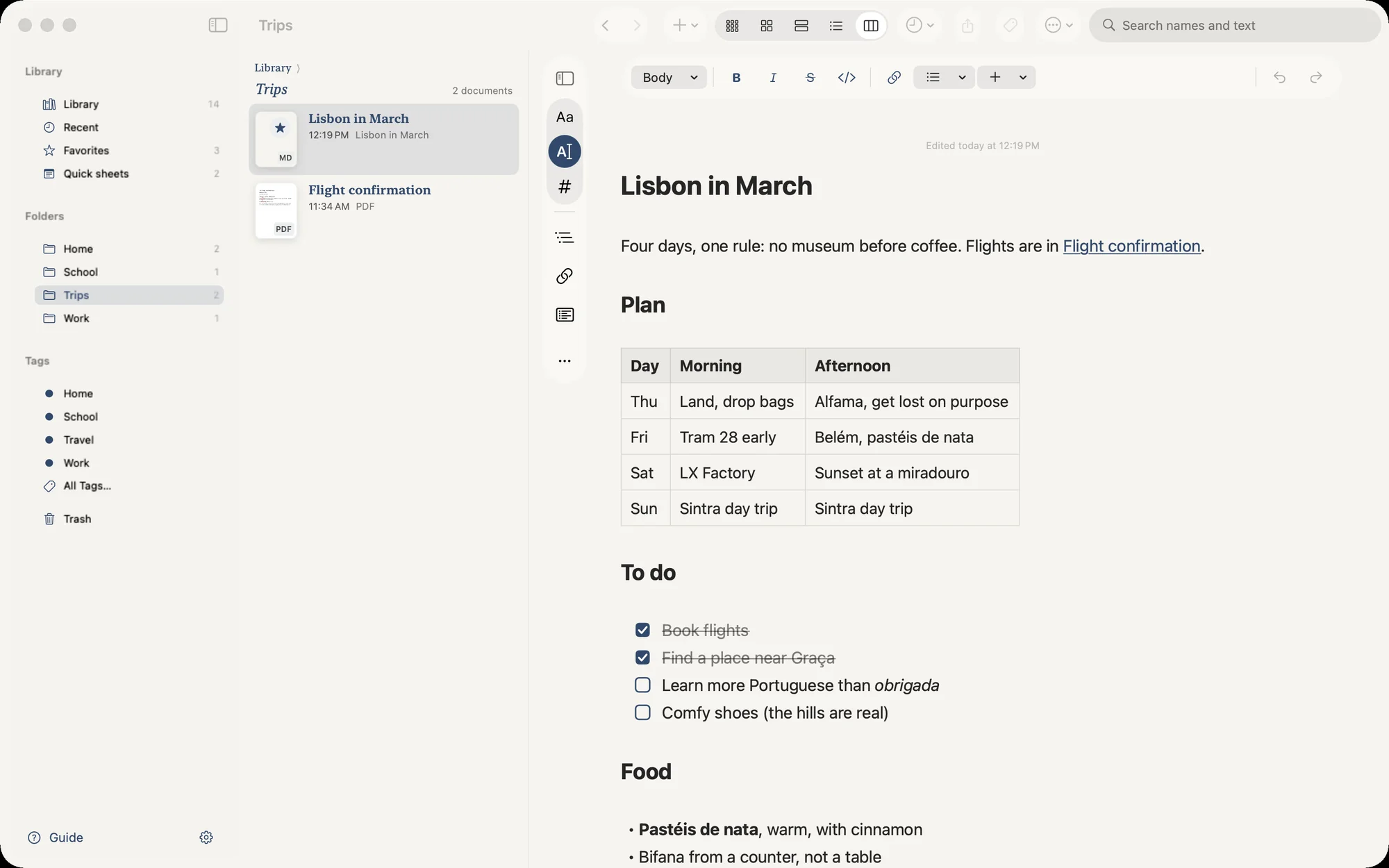
Sometimes a list is just faster on a keyboard. + › Markdown File gives you a page of typed text that Penna formats as you go, and saves as plain Markdown, so it opens anywhere else too.
- Type [[ to link to a notebook, a PDF or another file, or straight to one of its headings or pages. Backlinks shows what points back.
- Tables you edit as a grid, and code blocks colored for the language they’re in.
- Formatted, Current Line or plain Markdown: three ways to look at the same file, so the markers only show when you want them.
- Open Quickly (⌘O) finds anything by name.
- Share it as a .md file or a PDF.
Sign it, scribble on it, send it back
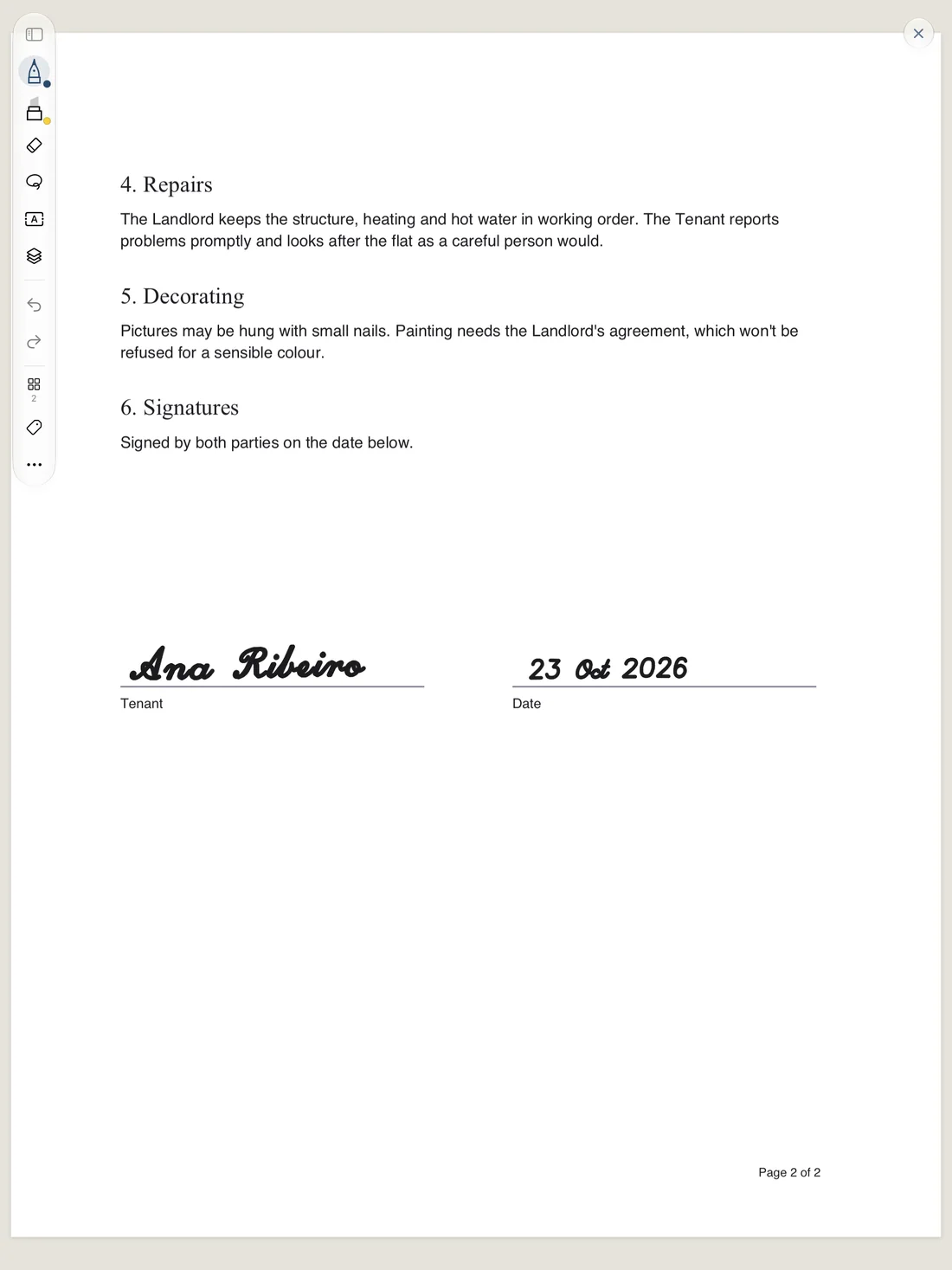
Bring in a PDF and write on it like it was printed. Every page keeps its own size, and your ink stays exactly where you put it.
- Highlight, fill in forms and sign with any pen.
- Share it back as a PDF with your ink baked in.
- Need the untouched original? Duplicate keeps a clean copy.
A planner for any year, made on the spot
Choose + › Planner…, pick the year and whether you want a plain calendar or a full planner, and switch on the sections you’ll use: habits, goals, meals, money, reading and a few more. Penna builds it in a few seconds.
Every date, week and month is linked, so a tap takes you there and the Pencil writes over the rest. Come December, Make Next Year’s does exactly what it says.
Templates and planners →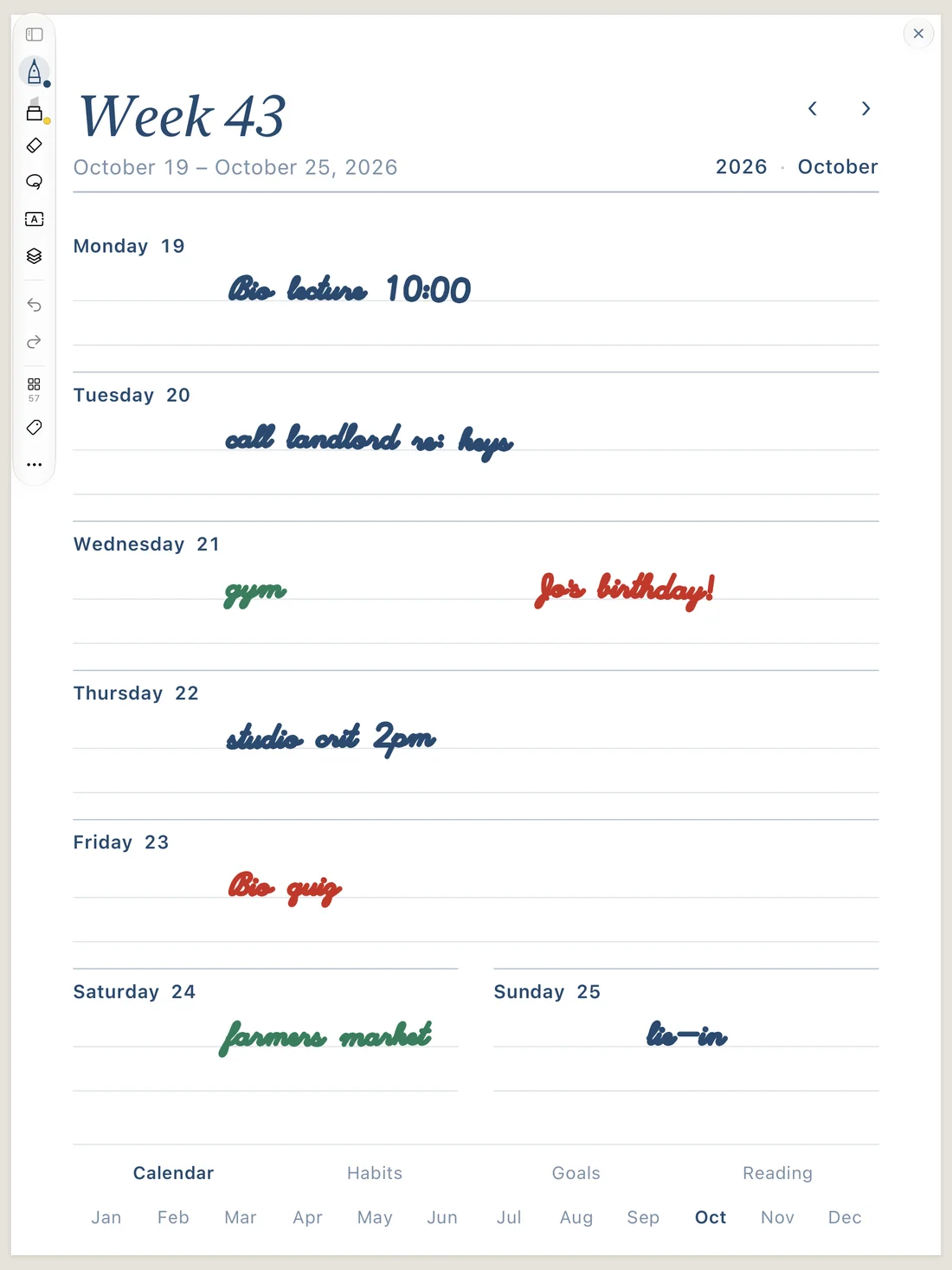
Find the thing you wrote in March
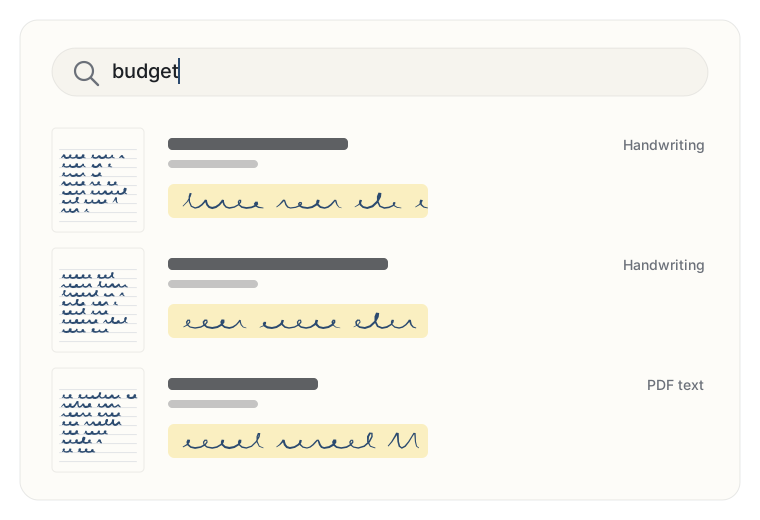
Search the Library and Penna looks through notebook names, typed text, PDFs, Markdown files and your handwriting. The handwriting is read by Apple’s recognition right on your device, in the background, so nothing gets sent off to be read.
- Convert a page to typed text to copy it somewhere.
- Lasso a few lines and turn them into a text box.
- Find, Go to Page and tags for when you know roughly where it is.
A Library that stays tidy
Notebooks show as covers in folders, inside more folders if that’s how you roll. Favorites stay close, two fingers down from the top of any page shows what you opened recently, and a quick sheet is there when you just need somewhere to write.
- Prefer a list? The Columns view puts the list on one side and whatever you’ve opened on the other, a bit like Notes.
- Search takes the words in any order. Put a “phrase in quotes”, or a #tag to narrow it down.
- Recent is grouped by day, so “that thing from Tuesday” is easy.
Deleted things hang around in Trash for 30 days, in case you change your mind.
Bring things in
PDFs, Markdown and plain text files, photos and screenshots all come in through Import…, a drag onto the Library, or Open in Penna from another app. Pictures become a page each, ready to scribble on. Scan Document turns a paper page into one with your iPhone or iPad camera.
Moving over from Apple Notes or reMarkable? There’s a page for that.
Switching to Penna →Sync, if you want it
Sign in with Apple or an email code and your notebooks, PDFs, Markdown files, folders and tags follow you between devices. Changes show up almost at once, you can keep writing offline, and if you edit the same thing in two places, Penna merges it.
On the workbench
Things we’re building. No dates, because we’d rather get them right.
Handwriting to Markdown
Turn a page of scribbles into a tidy typed note.
Sketch together
Share a page on a call and both draw on it.
Windows
Penna for Windows pens and tablets.
Web and Windows
Write it down. Then find it again.
Penna arrives on iPad, iPhone and Mac this fall. Leave your email and we'll send you exactly one message: the day it's out.